

Tech Mastery For Successful Senior Podcasting
By Tom Seest
At PodcastBig, we help people who want to learn about podcasting by collating information and news about podcasting.
Be sure to read our other related stories at PodcastBig to learn more about podcasting.
What Essential Tech Should Seniors Master for Podcasting Success?
When it comes to podcasting, it’s easy to feel overwhelmed by all the jargon and gadgets. But let me tell you, starting a podcast is not rocket science—especially for seniors who have a lifetime of stories and wisdom to share. The essential tech to focus on can be boiled down to just a few items, each simpler than one might think.
First on the docket is a decent microphone. Now, I’m not talking about the kind that’s going to set you back a small fortune. A USB microphone can cost less than a nice dinner out and will make your voice sound clear and inviting—critical for keeping listeners engaged. A good mic elevates your podcast from a grainy back-alley sound to a professional-grade audio experience.
Next up is recording software. This is your virtual studio, and there are plenty of user-friendly options out there. GarageBand for Mac users and Audacity for PC users are both solid choices. They’re free and offer a wealth of features without the steep learning curve. The key is to spend some time familiarizing yourself with the basic functions—recording, editing, and exporting your podcast to share with the world.
Speaking of sharing, let’s chat about hosting platforms. Once you’ve recorded your episode, you’ll need somewhere to store it online—a podcast host. Services like Podbean or Anchor make it easy. They handle all the techy stuff while you focus on what matters most: your content. They also distribute your podcast to various platforms like Spotify and Apple Podcasts. It’s a one-stop shop for getting your podcast into eager ears.
Don’t overlook the importance of headphones. A good pair helps you catch any audio issues in real-time. You’ll be able to ensure that your distinct voice is front and center—free of distractions like background noise. And trust me, nothing ruins a podcast quite like unexpected interruptions.
Last but not least, understanding the basics of social media can propel your podcast into the spotlight. Share snippets of your episodes, behind-the-scenes content, or even engage with your audience directly. This way, you’re not just speaking into the void; you’re building a community around your podcast.
In summary, the tech doesn’t need to be intimidating. With a reliable microphone, user-friendly software, a solid hosting platform, good headphones, and a splash of social media savvy, seniors are poised for podcasting success. So grab your gear, and let’s make some noise!

What Essential Tech Should Seniors Master for Podcasting Success?
What Essential Tech Should Seniors Master for Podcasting Success?
- Starting a podcast is accessible for seniors with stories and wisdom to share.
- A USB microphone is essential for clear audio without breaking the bank.
- User-friendly recording software like GarageBand and Audacity is available for free.
- Choose a reliable podcast hosting platform like Podbean or Anchor to store and distribute episodes.
- Good headphones are crucial for catching audio issues and ensuring clarity.
- Understanding social media basics can help build an audience around your podcast.
- With the right tools, seniors can confidently embark on their podcasting journey.

What Essential Tech Should Seniors Master for Podcasting Success?
Table Of Contents
- What Essential Tech Should Seniors Master for Podcasting Success?
- What Is The Best Microphone For Seniors To Use For Podcasting?
- How Can Seniors Choose User-Friendly Podcasting Software?
- What Audio Editing Tools Are Simple For Seniors To Master?
- How Should Seniors Set Up Their Podcasting Space At Home?
- What Headphones Are Ideal For Seniors During Podcast Recording?
- How Can Seniors Improve Audio Quality For Their Podcasts?
- What Is The Best Hosting Platform For Seniors’ Podcasts?
- Conclusion
- Other Resources
- Glossary Of Terms
- Other Questions
- Haiku
- Poem
- Checklist
What Is The Best Microphone For Seniors To Use For Podcasting?
When it comes to diving headfirst into the world of podcasting, the right microphone isn’t just a tool; it’s a lifeline to the auditory realm where stories, experiences, and wisdom come alive. For seniors looking to share their voices, having the best microphone can make all the difference, bridging the gap between novice and pro with just a little technological help.
First and foremost, simplicity is key. Older folks can be intimidated by the complex setups that often accompany high-quality audio gear. What they need is a microphone that’s straightforward, reliable, and doesn’t require a degree in sound engineering to operate. Enter USB microphones—a game changer for podcasting newcomers. These nifty little devices plug directly into a computer or laptop, eliminating the need for additional equipment like mixers and audio interfaces.
Among the frontrunners in the USB variety is the Audio-Technica ATR2100x. Not only is it user-friendly, but it also offers excellent sound quality at a price point that won’t break the bank. It features a durable design and comes with both USB and XLR outputs, giving users the flexibility to expand their setup in the future if they choose. Imagine capturing your tales of yesteryear in crisp, clear audio, allowing your listeners to savor every word.
Another solid option is the Blue Yeti. This microphone offers multiple polar patterns, which means you can customize your recording setup to match your needs—whether you’re podcasting solo or inviting a guest for a chat. Its sleek design, coupled with user-friendly features, makes it a beloved choice among podcasters of all ages.
For seniors with a touch of mobility or those who prefer a more portable solution, the Rode NT-USB Mini might just hit the sweet spot. Compact and built tough, this microphone can easily travel from the living room to the park, allowing for spontaneous recording sessions anywhere inspiration strikes.
Ultimately, the best microphone for podcasting is the one that feels right in your hands, serves your unique storytelling style, and enables you to connect with your audience on a deeper level. Whether you share stories from decades past or discuss the world as you see it today, it’s all about letting your voice shine—one word at a time. So, choose wisely, set it up, and let the podcasting begin!

What Is The Best Microphone For Seniors To Use For Podcasting?
What Is The Best Microphone For Seniors To Use For Podcasting?
- The right microphone is essential for seniors starting in podcasting, serving as a vital link to share their stories and experiences.
- Simplicity is crucial; older users often prefer straightforward, reliable microphones without complicated setups.
- USB microphones are ideal for beginners as they plug directly into computers, avoiding the need for extra equipment.
- The Audio-Technica ATR2100x stands out for its user-friendliness, excellent sound quality, and dual USB/XLR outputs.
- The Blue Yeti offers multiple polar patterns, allowing customization for solo or guest recordings, and is favored for its sleek design.
- The Rode NT-USB Mini is a portable option for seniors, making it easy to record in various locations.
- Choosing the right microphone helps seniors connect with their audience and enhances their storytelling experience.

What Is The Best Microphone For Seniors To Use For Podcasting?
How Can Seniors Choose User-Friendly Podcasting Software?
Alright, folks, let’s dive into a world that’s buzzing with creativity and conversation: podcasting. If you’re a senior looking to take the plunge into this audio adventure, there’s good news—finding the right podcasting software can be as easy as pie. But hold your horses! Not all software is created equal, and knowing what to look for can make all the difference.
First things first, start by identifying your needs. Are you looking to share stories from your life, discuss your favorite hobbies, or simply connect with family and friends? Understanding your goals can help narrow down the options. Many platforms boast user-friendly interfaces designed with seniors in mind, giving you the confidence to focus on what truly matters—your podcast.
Next, let’s talk about accessibility. Look for software that offers clear instructions and a straightforward layout. You want something that feels intuitive, not like deciphering an ancient code. Consider platforms that provide tutorials or customer support. It’s like having a buddy cheering you on while you figure things out, and that’s invaluable when you’re getting started.
Now, let’s get into recording and editing. A good program should allow you to record with ease—think one-click recording features that don’t require a PhD in technology. Editing can get tricky, but look for software that simplifies this process. Drag-and-drop tools and easy-to-understand editing features can make a world of difference. You don’t want to spend countless hours wrestling with complicated audio splicing when you could be crafting the next episode of your unmissable podcast.
Don’t forget about the ability to publish and share your podcast. Your software should allow you to distribute your work effortlessly across various platforms. Whether it’s Apple Podcasts or Spotify, you want your voice to reach as many ears as possible. A solid publishing feature can help you get there without a hitch.
Finally, consider the community aspect. Some platforms foster active user communities where you can connect with other podcasters, especially seniors like yourself. Learning from peers can help ease any apprehensions you might have about joining this vibrant world.
So, there you have it. Choosing user-friendly podcasting software is about finding something tailored to your needs, easy to navigate, and supportive. Don’t let the digital age intimidate you—your voice deserves to be heard, and with the right tools, you can podcast like a pro!

How Can Seniors Choose User-Friendly Podcasting Software?
How Can Seniors Choose User-Friendly Podcasting Software?
- Podcasting offers a creative outlet, especially suited for seniors interested in sharing their stories or connecting with others.
- Identify your podcasting goals to help narrow down suitable software options.
- Look for user-friendly interfaces that cater to seniors, allowing you to focus on content creation.
- Choose software with clear instructions and tutorials for intuitive use, making the learning process easier.
- Select programs with simple recording and editing features, such as one-click recording and drag-and-drop tools.
- Ensure the software allows easy publishing and sharing across various platforms like Apple Podcasts and Spotify.
- Consider platforms with active user communities for peer support, enhancing your podcasting experience.

How Can Seniors Choose User-Friendly Podcasting Software?
What Audio Editing Tools Are Simple For Seniors To Master?
What Audio Editing Tools Are Simple for Seniors to Master?
In a world buzzing with digital noise, the allure of creating compelling audio content, like a podcast, can feel daunting—especially for our seniors. While the tech gods have blessed us with sophisticated editing software, let’s face it: many of these tools can resemble a spaceship cockpit more than a user-friendly workspace. Thankfully, there are options that cut through the clutter and allow those seasoned voices to shine.
First up is Audacity. This free, open-source software is like the Swiss Army knife of audio editing. It’s robust enough to handle serious projects but has a clean interface that doesn’t overwhelm. With basic functions like cutting, copying, and pasting audio, seniors can easily learn to trim their podcasts and splice in some music without feeling like they need a degree in rocket science. Plus, the undo button is a saving grace for those moments when a mistake is made—because let’s face it, we all have those moments.
Next on the list is GarageBand for Apple users. Now, we’re talking about a tool that’s as user-friendly as a trusty old friend. For podcasting, this software provides templates specifically designed for vocal recordings. The drag-and-drop functionality makes it easy to add sound effects or background music. If you can click a mouse, you can create an audio masterpiece that sounds polished and professional—all from the comfort of your kitchen table.
Another contender worth mentioning is Anchor. This platform not only simplifies the recording and editing process but also allows seniors to publish their podcasts with just a few taps. It’s perfect for those who want a no-fuss approach, as it combines all the necessary features—recording, editing, and distribution—into one seamless package. The added bonus? It’s designed for accessibility, making it a breeze for anyone to navigate.
For those who prefer to keep things simple, Alitu stands out for its ease of use. It automates much of the tedious editing process, allowing users to concentrate on creating great content without getting lost in the weeds of audio manipulation. A drag-and-drop interface ensures that seniors can focus on their stories rather than sweat the technical details.
In a nutshell, with tools like Audacity, GarageBand, Anchor, and Alitu, seniors can join the booming podcasting trend without feeling overwhelmed. So grab that microphone, share your story, and remember: you’re never too old to make waves in the world of audio!

What Audio Editing Tools Are Simple For Seniors To Master?
What Audio Editing Tools Are Simple For Seniors To Master?
- Creating audio content, like podcasts, can be daunting for seniors due to complex editing software.
- Audacity is a free, open-source tool that is user-friendly with essential functions for audio editing.
- GarageBand is an intuitive option for Apple users, offering templates and drag-and-drop functionality for easy audio creation.
- Anchor simplifies recording, editing, and publishing podcasts, designed for accessibility and ease of use.
- Alitu automates the editing process, allowing users to focus on content creation rather than technical details.
- These tools enable seniors to enter the world of podcasting without feeling overwhelmed by technology.
- Seniors are encouraged to share their stories and join the podcasting trend at any age.

What Audio Editing Tools Are Simple For Seniors To Master?
How Should Seniors Set Up Their Podcasting Space At Home?
Creating a podcasting space at home isn’t just about finding a corner of the living room to plop down a microphone and hit record. It’s an art of organization, practicality, and a touch of personality—especially for seniors who want to share their stories, insights, or just a good laugh with the world. So, let’s roll up our sleeves and dig into how seniors can set up a podcasting space that’s as inviting as it is functional.
First off, location is key. Choose a quiet spot—away from the dog barking, the grandkids playing, or even the hum of the refrigerator. Basements or spare bedrooms work well, provided you can avoid too much echo. Once you’ve chosen your nook, it’s time to think about soundproofing. You don’t have to transform your home into a recording studio; simple solutions like adding rugs, curtains, or even some strategically placed cushions can significantly enhance acoustics.
Next, let’s chat equipment. You don’t need all the bells and whistles to start a podcast. A decent USB microphone and headphones will get you up and running without breaking the bank. Sit down at a sturdy table or desk—preferably one that’s got good lighting. If you’re planning to do video recordings, natural light is your friend, so position yourself near a window.
Comfort matters. If you’re going to be sitting and talking for a while, make sure you’ve got a chair that supports you well. Avoid the temptation to use that creaky old recliner, because it might just end up becoming a distraction. Think ergonomics to keep you focused on delivering your content rather than fidgeting because of discomfort.
Now, let’s not forget the decor. As anyone who’s spent five minutes in front of a camera knows, a visually appealing backdrop can add warmth to your podcast. Personal touches—photos, plants, or memorabilia that reflect your passions—will help create an inviting space that resonates with your audience. Plus, they can serve as great conversation starters.
Finally, technology can seem daunting, but there are plenty of user-friendly software options for recording and editing. Don’t shy away from reaching out for a hand if you hit a snag. Setting up your podcasting space should be an enjoyable experience, not a chore.
With a little preparation and imagination, seniors can craft a podcasting space that’s functional, cozy, and ready to let their voices soar.

How Should Seniors Set Up Their Podcasting Space At Home?
How Should Seniors Set Up Their Podcasting Space At Home?
- Creating a podcasting space at home requires organization, practicality, and personality.
- Choose a quiet location to minimize background noise, such as a basement or spare bedroom.
- Use simple soundproofing methods like rugs, curtains, or cushions to improve acoustics.
- A decent USB microphone and headphones are sufficient for starting a podcast without high costs.
- Ensure comfort with an ergonomic chair to maintain focus during longer recording sessions.
- Incorporate personal decor that reflects your interests to create an inviting backdrop for visuals.
- Utilize user-friendly software for recording and editing, and seek help if needed to make the setup enjoyable.

How Should Seniors Set Up Their Podcasting Space At Home?
What Headphones Are Ideal For Seniors During Podcast Recording?
When it comes to recording a podcast, especially for seniors, the right pair of headphones can make all the difference. The world of audio can be as confusing as a jigsaw puzzle with no picture on the box, but let’s simplify things. Here’s what to look for when shopping for the perfect headset for your golden years.
First off, comfort is key. Seniors might have more sensitive ears or simply find longer recording sessions a bit of a challenge. Look for over-ear headphones with plush padding. This cushy design allows for hours of wear without the pinching or pressure that some older models can create. Trust me; you don’t want to cut a great story short simply because you can’t stand the feeling of a vice grip around your head.
Next up is sound quality. Let’s be honest; if you’re diving into a podcast, you want to hear every nuance of that interview or story—whether it’s the soothing timbre of a narrator or the crackling excitement of a lively guest. High-quality headphones can enhance your listening experience, ensuring every word is crystal clear while blocking out distracting background noise. Look for models with noise-cancellation features; that way, you aren’t struggling to focus over the sounds of the world around you.
Another factor to consider is weight. Lightweight headphones are an unsung hero in the pursuit of podcasting excellence. You don’t want a pair of headphones that feels like a lead weight on your head. As we age, even the simplest tasks can feel daunting, so go for something that feels like a feather—light yet sturdy enough to hold their own.
Of course, let’s not forget the tech side of things. Seniors may appreciate Bluetooth connectivity, allowing for hands-free operation and fewer pesky wires to tangle. Having a set of headphones that sync easily with devices means more time focusing on creating those engaging stories rather than fumbling with cords. A good microphone incorporated right into the headset is also a welcome addition; you can record your thoughts without needing a separate piece of equipment.
Finally, let’s chat about price. While you don’t want to break the bank, investing in a decent pair of headphones pays dividends in the long run. Look for warranties or guarantees, as quality headphones should last through countless episodes of your favorite podcast. So, gear up and get ready—your voice deserves to be heard clearly and comfortably.

What Headphones Are Ideal For Seniors During Podcast Recording?
What Headphones Are Ideal For Seniors During Podcast Recording?
- Comfort is crucial; opt for over-ear headphones with plush padding for extended wear.
- Prioritize sound quality to ensure clarity and enhanced listening experiences without background noise.
- Choose lightweight headphones to avoid discomfort during longer recording sessions.
- Consider Bluetooth connectivity for hands-free use and to reduce cord tangling.
- Look for headphones with an integrated microphone for easy recording without extra equipment.
- Invest in a quality pair of headphones to ensure durability and long-term performance.
- Check for warranties or guarantees to protect your investment in good audio equipment.

What Headphones Are Ideal For Seniors During Podcast Recording?
How Can Seniors Improve Audio Quality For Their Podcasts?
When it comes to podcasting, audio quality can make the difference between a show that engages listeners and one that sends them sprinting for the “stop” button. For seniors trying to make their mark in the podcasting world, ensuring crisp, clear sound might seem daunting. But fear not! With a little know-how and some straightforward strategies, anyone can elevate their audio game.
First and foremost, invest in a decent microphone. Gone are the days when you could get by with your laptop’s built-in speaker. A good quality microphone is key for delivering your message clearly. USB microphones are particularly user-friendly; just plug it in, adjust your settings, and you’re good to go. Aim for a cardioid pattern microphone—it picks up sound directly in front while minimizing background noise, making it perfect for podcasting.
Next on the agenda is the recording environment. The sound quality can suffer from unwanted echoes or background noise, so choose a quiet space free from distractions. If the walls of your recording studio resemble a barren wasteland, consider adding some soft furnishings—blankets, pillows, or rugs can help absorb sound and reduce echo. A walk-in closet can even turn into your makeshift audio haven, wrapping you in a cozy sound cocoon.
Another critical piece of the puzzle is the use of audio editing software. Don’t be intimidated by the idea of editing your recordings. Programs like Audacity or GarageBand offer user-friendly interfaces to help you polish your audio. Cut out awkward pauses, minimize background noise, and adjust audio levels for a more professional sound. Remember, even the pros don’t nail it in one take!
Lastly, think about your audio formats. Exporting in higher bit rates can enhance the listening experience, ensuring that every word carries the weight you intended. There’s nothing worse than a podcast that sounds muffled or overly compressed. It’s worth spending some time learning about audio formats to ensure your podcast not only sounds good but feels good to listen to.
In this era of digital storytelling, a little effort in improving your audio quality can take your podcast from good to outstanding. So, roll up your sleeves, equip yourself with the right tools, and let your voice be heard clearly and confidently!

How Can Seniors Improve Audio Quality For Their Podcasts?
How Can Seniors Improve Audio Quality For Their Podcasts?
- Audio quality is crucial for engaging podcast listeners; poor sound drives them away.
- Invest in a good quality microphone, preferably a USB cardioid pattern microphone, to ensure clear sound.
- Select a quiet recording environment to avoid unwanted echo and background noise.
- Add soft furnishings like blankets or rugs to absorb sound and reduce echo.
- Use audio editing software like Audacity or GarageBand to enhance and polish recordings.
- Export audio in higher bit rates to improve listening quality and clarity.
- With effort and the right tools, you can significantly improve your podcast’s audio quality.

How Can Seniors Improve Audio Quality For Their Podcasts?
What Is The Best Hosting Platform For Seniors’ Podcasts?
When it comes to launching a podcast, especially for seniors, the question isn’t just about what to say, but where to say it. With the right hosting platform, you can ensure your thoughts, stories, and experiences reach a wider audience. Choosing the best hosting platform for seniors’ podcasts requires careful consideration of features that cater to comfort and simplicity, without sacrificing functionality.
First and foremost, ease of use is paramount. Many seniors may not be tech-savvy or may find themselves intimidated by complex interfaces. A podcast hosting platform that offers an intuitive dashboard makes the process of uploading episodes and tracking performance much more manageable. Look for platforms that provide hassle-free setup processes and clear tutorials. What’s the use of creating a brilliant podcast if the platform feels like navigating a maze?
Next, think about storage capabilities. The best hosting platforms allow you to upload multiple episodes without worrying about running out of space. For an engaging podcast, consistency is key, and you don’t want to be limited in your ability to share your wisdom, experiences, or just a good story.
Additionally, consider the availability of analytics. Understanding your audience is crucial for growth, and some platforms offer detailed insights into who’s listening, where they are, and what content resonates most. This helps you cater your future episodes to listeners’ preferences, ensuring the podcast is not just a monologue but a dialogue with your audience.
Another essential factor for seniors is customer support. You want a platform that has a responsive support team ready to guide you through any bumps in the road. Whether it’s a small technical glitch or a question about monetization, reliable support can make a world of difference for those less familiar with tech.
Lastly, let’s not forget about budget. While there are great free options out there, investing in a reasonable paid hosting service can pay off in terms of features and support. A small monthly fee can open doors to added functionality that makes podcasting a breeze.
In summary, the best hosting platform for seniors’ podcasts should marry simplicity with functionality, provide ample storage and support, offer insightful analytics, and deliver reliability without breaking the bank. With the right choice, seniors can share their stories and connect with a community that values life experiences, one podcast episode at a time.

What Is The Best Hosting Platform For Seniors’ Podcasts?
What Is The Best Hosting Platform For Seniors’ Podcasts?
- Choosing the right hosting platform is crucial for launching a podcast aimed at seniors.
- Ease of use is essential; a user-friendly dashboard can simplify the podcasting process.
- Storage capabilities should allow for multiple episodes to ensure consistency in sharing content.
- Availability of analytics helps understand the audience and tailor future episodes.
- Responsive customer support is important for assisting seniors with technical issues.
- Consider budget; while free options exist, paid services offer enhanced features and support.
- The best platform should balance simplicity and functionality, fostering community engagement.

What Is The Best Hosting Platform For Seniors’ Podcasts?
Conclusion
Alright, folks, let’s wrap this up with a little clarity on podcasting for our seasoned storytellers out there. You see, stepping into the world of podcasting doesn’t have to feel like climbing Everest; it can be a stroll through the garden—especially for seniors. If you’ve got stories or insights itching to get out, it’s time to let them fly.
First things first, the tech component: it’s not a mysterious black box. A decent USB microphone is your trusty sidekick, easily connecting to your computer and giving you that clear sound your listeners crave. Think of it as the first bridge between your wisdom and an eager audience. Pair it with user-friendly recording software like Audacity or GarageBand, and you’re well on your way to creating engaging content that captivates.
Now, once you’ve recorded those golden nuggets, how do you share them with the world? That’s where podcast hosting platforms come into play. Look for one that’s easy to navigate—think of it like a well-paved trail rather than a bumpy dirt road. You want a spot where you can upload multiple episodes without running out of space, and where customer support is just a click away if you hit a snag.
And let’s not forget about audio quality. It’s like cooking a good meal; the better the ingredients, the better the dish. Control your environment by minimizing background noise and consider adding some soft furnishings to reduce echo. Your listeners deserve top-notch sound, just like you deserve a comfortable chair while recording.
Then there are the headphones. Treat your ears right with a pair that balances comfort and sound quality. After all, you want to catch every subtle nuance of your voice without dealing with discomfort.
Finally, don’t underestimate the power of social media to build your community. Share snippets of your episodes, interact with your audience, and let the world know you’re here and ready to engage—as if you’re throwing a big ol’ potluck, inviting everyone to bring their own stories to the table.
So, to all the seniors out there: grab your gear, set up your cozy podcasting space, and let your voice shine brightly. With the right tools and a little patience, you can create something amazing that resonates with listeners of all ages. Get ready to hit that record button and make some noise—because you’ve got stories that deserve to be heard!

Conclusion
Conclusion:
- Podcasting can be an accessible and enjoyable experience for seniors.
- A decent USB microphone and user-friendly software like Audacity or GarageBand are essential for recording.
- Select an easy-to-navigate podcast hosting platform with ample storage and accessible customer support.
- Ensure high audio quality by controlling your recording environment and reducing background noise.
- Use comfortable, quality headphones to catch the nuances of your voice while recording.
- Leverage social media to build a community, share episode snippets, and engage with your audience.
- Seniors are encouraged to set up a cozy podcasting space and share their stories with the world.

Conclusion
Other Resources

Other Resources
Here is a list of other resources you can review online to learn more:
Use This Prompt To Get More Resources With Your Favorite Online AI Tool: Please provide me with a list of online articles with their URLs in a bulleted list that I can read regarding What Essential Tech Should Seniors Master for Podcasting Success?

Other Resources
Glossary Terms
What Essential Tech Should Seniors Master for Podcasting Success? – Glossary Of Terms
1. Podcast: An audio program available in episodes that can be streamed or downloaded, often focusing on various topics or themes.
2. Microphone: A device used to capture audio; essential for high-quality sound in podcasting.
3. Audio Interface: A device that connects microphones and other audio equipment to a computer, enabling better sound quality and control.
4. Headphones: A personal audio device used to monitor sound quality or edit audio without external noise interference.
5. Digital Audio Workstation (DAW): Software used for recording, editing, and producing audio files; examples include Audacity and GarageBand.
6. Mixer: A device that combines multiple audio signals, allowing for adjustments to volume and sound effects in real-time.
7. Hosting Platform: A service that stores and distributes podcast episodes to various podcast directories (e. g. , Libsyn, Podbean).
8. RSS Feed: A format used to publish frequently updated content; critical for distributing podcast episodes to listeners.
9. Editing Software: Programs used to cut, trim, and enhance audio recordings; essential for producing polished podcast episodes.
10. Soundproofing: Techniques or materials used to reduce noise in a recording environment, improving audio clarity.
11. Podcast Directory: Platforms where podcasts are listed for listeners, such as Apple Podcasts, Spotify, and Google Podcasts.
12. Remote Recording: The process of recording audio with participants in different locations, often using online tools like Zoom or Skype.
13. Content Management System (CMS): A digital platform used for publishing and managing podcast episodes and related content.
14. Promotion: Strategies and activities designed to increase the visibility and listenership of a podcast.
15. Transcription: The process of converting spoken audio into written text; useful for accessibility and SEO purposes.
16. Segment: A distinct portion of a podcast episode, often featuring particular topics, interviews, or discussions.
17. Intro/Outro: The opening and closing segments of a podcast, typically featuring music or a brief introduction to the episode’s content.
18. Interview: A format where the host converses with a guest; popular in many podcast styles for sharing insights and stories.
19. Live Streaming: Broadcasting a podcast recording in real-time, allowing for interaction with listeners through comments or calls.
20. Audience Engagement: Strategies used to foster interaction with listeners, such as Q&A sessions, social media, and feedback requests.
21. Monetization: Methods used to earn income from a podcast, such as sponsorships, ads, or listener donations.
22. Branding: The process of creating a unique identity for a podcast, including logo design, theme music, and marketing.
23. Listener Analytics: Data collected about audience behavior, such as downloads, listen duration, and demographics, used to improve content and marketing.
24. Scripting: The practice of writing down key points or a full script to guide the recording of a podcast episode.
25. Call to Action (CTA): A prompt encouraging listeners to take specific actions, like subscribing, sharing episodes, or visiting a website.
26. Social Media Promotion: Utilizing platforms like Facebook, Instagram, and Twitter to spread the word about a podcast and reach a broader audience.
27. Voice Modulation: The technique of varying pitch, tone, and speed in speech, helping to keep listeners engaged during a podcast.
28. Audio Quality: The clarity and fidelity of the recorded sound, crucial for a pleasant listening experience.
29. Content Calendar: A planning tool that outlines upcoming episodes, topics, and recording schedules to maintain consistency.
30. Feedback Mechanism: Methods for collecting listener input through reviews, surveys, or direct messages to improve future podcast episodes.

Glossary Of Terms
Other Questions
What Essential Tech Should Seniors Master for Podcasting Success? – Other Questions
If you wish to explore and discover more, consider looking for answers to these questions:
- What are the common challenges seniors face when starting a podcast?
- How much does it cost to start a podcast?
- What are some tips for promoting a podcast?
- How can seniors engage with their podcast audience effectively?
- What types of content are popular among senior podcasters?
- Are there any resources or tutorials specifically for seniors starting out in podcasting?
- How can seniors collaborate with other podcasters?
- What are some best practices for recording quality audio?
- How often should seniors publish new podcast episodes?
- What are the benefits of podcasting for seniors?

Other Questions
Haiku
What Essential Tech Should Seniors Master for Podcasting Success? – A Haiku
Seniors share their voice,
Tech tools simplify the way—
Podcast dreams take flight.

Haiku
Poem
What Essential Tech Should Seniors Master for Podcasting Success? – A Poem
In quiet rooms where stories dwell,
Seniors weave their tales to tell,
With gadgets near and spirits high,
They craft their dreams, let voices fly.
A microphone, the first must-have,
A simple tool, no need to brave,
With USB’s clear, inviting sound,
Wisdom’s echoes shall abound.
Recording software, easy as pie,
GarageBand or Audacity, oh my!
Fumbling fingers may find delight,
In user-friendly tools that shine so bright.
Podbean, Anchor, hosts so fair,
To store their stories, light as air.
With headphones snug, they take their place,
Ensuring each note finds space.
A cozy nook, where echoes part,
A table set, a warming heart,
With rugs and curtains, echoes cease,
In this haven, they find their peace.
Social media, a bridge to hearts,
Engagement grows as each episode starts,
A community blooms, connected and true,
Seniors shining, sharing anew.
Editing tools, simple and neat,
With Audacity’s grace, they’ll find their beat,
GarageBand’s templates, a guiding light,
Crafting podcasts, day and night.
A pair of headphones, comfortable, light,
Capturing sounds, making it right,
Bluetooth tech for hands-free ease,
They’ll conquer the waves like a gentle breeze.
Hosting platforms, choose with care,
Usable spaces, support everywhere.
Storage and answers, analytics too,
A thriving audience waiting for you.
So gather your stories, let voices ring,
With every episode, new joys they bring,
For age is but a number, a tale to unfold,
In the realm of podcasting, hearts turn to gold.
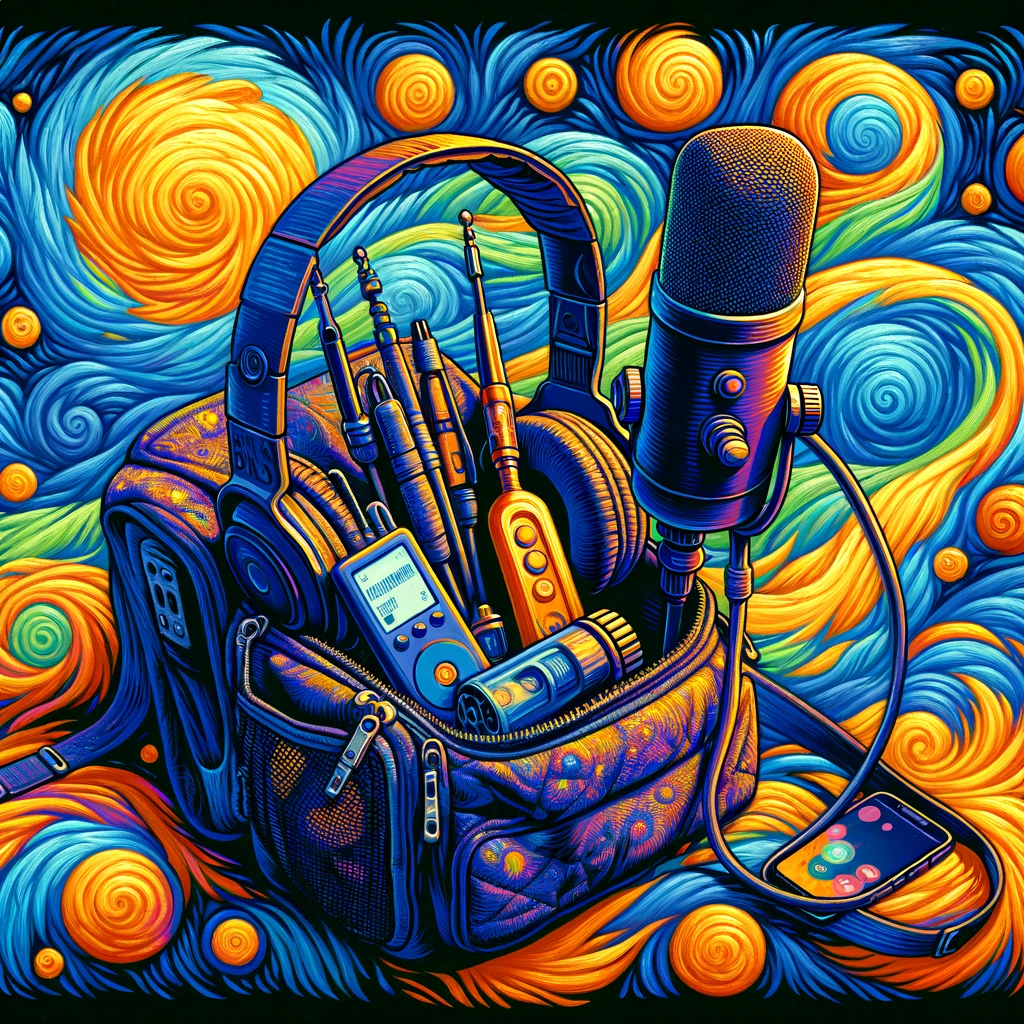
Poem
Checklist
What Essential Tech Should Seniors Master for Podcasting Success? – A Checklist
Essential Tech and Setup
1. Choose a Decent Microphone
_____ Select a USB microphone (e. g. , Audio-Technica ATR2100x or Blue Yeti) for ease of use.
_____ Ensure it offers good sound quality and is user-friendly.
_____ Consider portability for recording in different locations.
2. Select User-Friendly Recording Software
_____ Opt for software like Audacity (PC) or GarageBand (Mac).
_____ Familiarize yourself with basic functions: recording, editing, and exporting.
_____ Look for platforms with tutorials and customer support.
3. Find a Reliable Podcast Hosting Platform
_____ Choose platforms like Podbean or Anchor that are easy to navigate.
_____ Ensure they handle distribution to major platforms such as Spotify and Apple Podcasts.
_____ Check for storage capabilities and analytics features.
4. Invest in Quality Headphones
_____ Select over-ear headphones with comfortable padding and good sound quality.
_____ Look for models with noise cancellation to minimize distractions.
_____ Consider lightweight options for long recording sessions.
5. Set Up a Comfortable Podcasting Space at Home
_____ Choose a quiet location away from background noise.
_____ Use soft furnishings (e. g. , rugs, curtains) for soundproofing.
_____ Ensure good lighting and comfortable seating while recording.
Content Creation and Interaction
6. Know Your Goals and Audience
_____ Identify the type of content you want to create: storytelling, discussions, or hobby-sharing.
_____ Engage with your audience on social media platforms to build a community.
7. Familiarize Yourself with Audio Editing Tools
_____ Use simple editing software like Audacity, GarageBand, or Anchor.
_____ Learn to cut, copy, and paste audio easily.
_____ Experiment with drag-and-drop editing features for a smoother experience.
8. Practice Good Audio Quality Techniques
_____ Utilize a cardioid microphone for focused sound capture.
_____ Record in a quiet environment to minimize echo and background noise.
_____ Edit your audio recordings for clarity and consistency.
Ongoing Learning and Improvement
9. Stay Informed About Podcasting Trends
_____ Keep up with new tools, software updates, and trends in podcasting.
_____ Join communities or forums for seniors podcasting to share experiences and tips.
10. Be Patient and Persistent
_____ Don’t get discouraged by initial challenges; practice makes perfect.
_____ Allow yourself to learn and grow in your podcasting journey.
By following this checklist, seniors can confidently navigate the world of podcasting, sharing their stories and insights with a broader audience while enjoying the experience. Happy podcasting!

Checklist
At PodcastBig, we help people who want to learn about podcasting by collating information and news about podcasting.
Be sure to read our other related stories at PodcastBig to learn more about podcasting.