

Podcasting Gear For Senior Success
By Tom Seest
At PodcastBig, we help people who want to learn about podcasting by collating information and news about podcasting.
Be sure to read our other related stories at PodcastBig to learn more about podcasting.
What Equipment Do Seniors Need to Start a Successful Podcast?
Diving headfirst into the world of podcasting can be as exciting as it is nerve-racking, particularly for seniors who might feel a touch out of sync with the tech-heavy landscape. But fear not! The podcasting arena welcomes all voices, and with the right gear, you can launch a successful podcast that captivates listeners.
First on your list should be a quality microphone. Don’t underestimate the power of a good mic; it’s the very heart of your audio experience. Look for a USB microphone that’s user-friendly and won’t require you to navigate a convoluted setup. A dynamic mic like the Shure SM7B or a condenser mic such as the Audio-Technica ATR2100x are perfect choices; they provide rich sound quality without breaking the bank.
Next up, you’ll need headphones. Quality headphones allow you to hear your voice and sound levels clearly, helping you tweak your audio as you record. Opt for closed-back headphones that won’t leak sound into your recordings. Proper audio clarity will keep your podcast sounding professional.
Moving on to recording software, a senior podcaster doesn’t need to become a tech wizard. There are many intuitive programs available, such as Audacity or GarageBand, that make recording and editing your episodes an absolute breeze. Both offer straightforward interfaces packed with a variety of tools to help you polish your recordings with ease.
Consider investing in an audio interface, especially if you aim to use XLR microphones. An interface converts analog signals to digital, ensuring top-notch sound quality. The Focusrite Scarlett series is often recommended; it’s user-friendly and provides a clear sound for any podcasting endeavor.
Lastly, a sturdy boom arm or microphone stand is invaluable. It holds your microphone securely in place, allowing you to gesture and speak without worry about adjusting your setup mid-recording. Stability and comfort can significantly enhance your recording experience, making it easier to stay focused on delivering great content.
So, there you have it—a list of essential equipment to get any senior podcaster started on their journey. With a little patience, some quality gear, and your unique perspective, you’re well on your way to creating a podcast that resonates and entertains. Embrace the adventure; your voice matters now more than ever.

What Equipment Do Seniors Need to Start a Successful Podcast?
What Equipment Do Seniors Need to Start a Successful Podcast?
- Diving into podcasting can be exciting yet nerve-racking for seniors.
- A quality microphone is essential; consider user-friendly USB options like Shure SM7B or Audio-Technica ATR2100x.
- Quality headphones are crucial for clear audio monitoring; choose closed-back headphones to prevent sound leakage.
- User-friendly recording software like Audacity or GarageBand simplifies the recording and editing process.
- Invest in an audio interface like the Focusrite Scarlett series for using XLR microphones and ensuring high sound quality.
- A sturdy boom arm or microphone stand helps maintain stability during recordings.
- Embrace the adventure of podcasting; your unique voice is impactful and matters now more than ever.

What Equipment Do Seniors Need to Start a Successful Podcast?
Table Of Contents
- What Equipment Do Seniors Need to Start a Successful Podcast?
- What Are The Essential Podcasting Equipment For Seniors?
- How Can Seniors Choose The Right Microphone For Podcasting?
- What Recording Software Is User-Friendly For Older Adults?
- Should Seniors Invest In Headphones For Podcasting?
- How Can Seniors Improve Sound Quality In Their Podcasts?
- What Type Of Computer Do Seniors Need For Podcasting?
- Are There Affordable Podcasting Tools For Seniors?
- Conclusion
- Other Resources
- Glossary Of Terms
- Other Questions
- Haiku
- Poem
- Checklist
What Are The Essential Podcasting Equipment For Seniors?
Stepping into the world of podcasting can feel a bit like trying to learn to walk again—navigating a new platform, figuring out the technology, and finding your voice. But fear not, my friends, because podcasting isn’t just for the youthful, tech-savvy crowd. Seniors have stories to tell, wisdom to impart, and experiences to share that can resonate with listeners of all ages. To get started, though, you’ll need the right equipment, and trust me, it doesn’t have to break the bank.
First things first: a good microphone is your best friend in the realm of podcasting. A USB condenser microphone can pick up your voice with clarity and warmth, ensuring that listeners don’t miss a single word. Brands like Audio-Technica and Blue Yeti offer affordable options that are user-friendly and plug-and-play. Remember, the clearer your audio, the more engaged your audience will be.
Next up is a pair of headphones, because we don’t want to miss any nuance when recording. Look for closed-back headphones that can help isolate sound. This way, you can hear your own voice as well as any background noise or static, which will make editing a whole lot easier.
Now, let’s talk audio interface. For those who want to take it a step further, an audio interface can elevate your recording quality. It connects your microphone to your computer and processes the audio signals, giving you better control over sound quality. This may sound techy, but it’s not as intimidating as it seems. There are plenty of tutorials online to guide you through the setup.
While we’re busy talking tech, don’t forget about a reliable computer or laptop. You don’t want to be fiddling with outdated software while you’re trying to capture the essence of your latest storytelling endeavors. Choose a computer that supports basic audio editing software, like Audacity or GarageBand, which are both relatively easy to navigate for beginners.
Lastly, consider investing in soundproofing materials. A quiet environment will significantly enhance your podcast’s overall quality. Simple things like heavy curtains, carpets, or even foam panels can make a world of difference in eliminating echo and background noise.
So there you have it—the essential equipment to kickstart your podcasting journey. With a good microphone, headphones, audio interface, a reliable computer, and a quiet space, you’ll be well-equipped to share your unique perspective with the world. Let’s hit the record button and get to it!
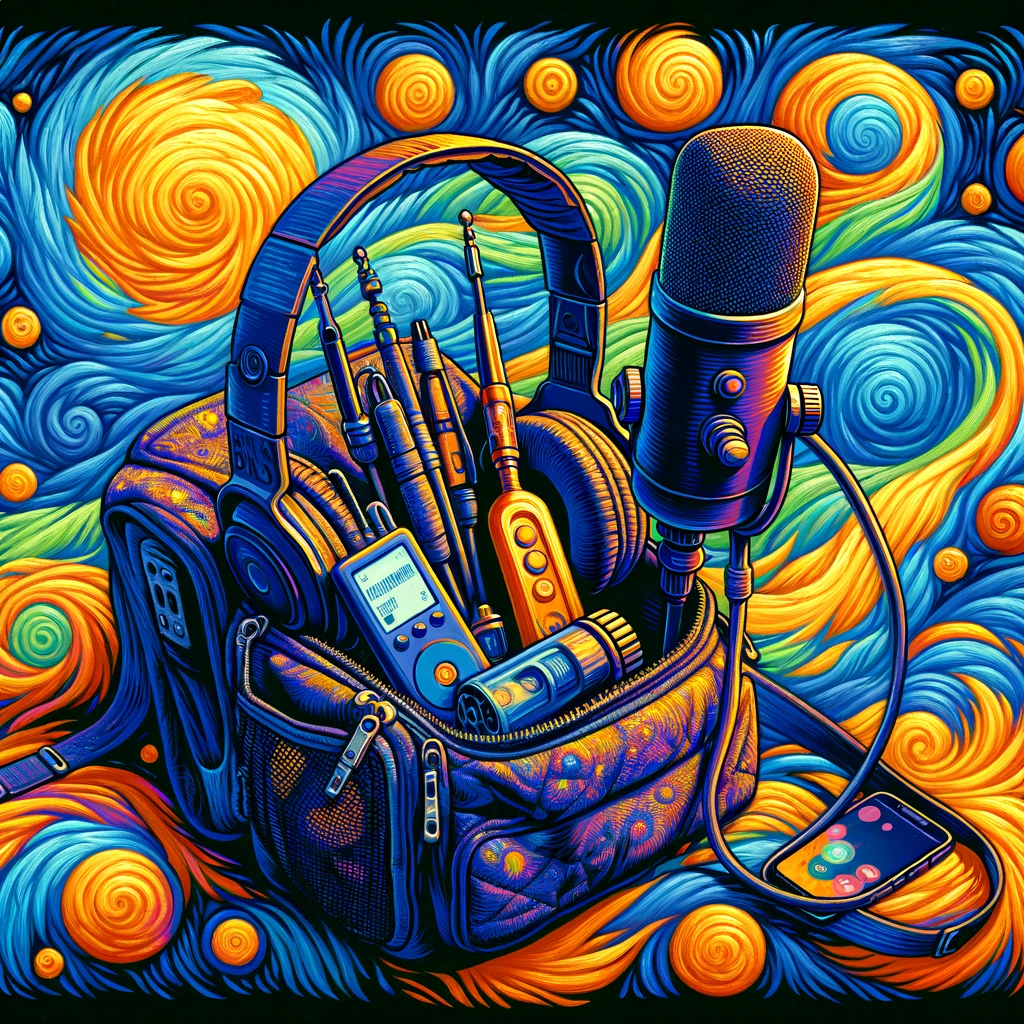
What Are The Essential Podcasting Equipment For Seniors?
What Are The Essential Podcasting Equipment For Seniors?
- Podcasting is accessible for seniors, offering a platform to share stories and wisdom.
- A USB condenser microphone is essential for clear audio; options like Audio-Technica and Blue Yeti are recommended.
- Closed-back headphones improve sound isolation, making it easier to edit recordings by hearing background noise.
- An audio interface can enhance recording quality and allows for better sound control.
- Use a reliable computer that supports audio editing software such as Audacity or GarageBand.
- Soundproofing materials, like heavy curtains or foam panels, can significantly improve overall podcast quality.
- With the right equipment, seniors can confidently start their podcasting journey and share their unique perspectives.

What Are The Essential Podcasting Equipment For Seniors?
How Can Seniors Choose The Right Microphone For Podcasting?
How Can Seniors Choose the Right Microphone for Podcasting?
Well folks, let’s talk about something that transcends age: the podcast. Whether you’re sharing stories from a life well-lived, discussing gardening tips, or diving into the deep well of history, you need a good microphone. Now, if you’re a senior and you’re thinking it’s time to dive into the world of podcasting, you might be wondering where to start. Choosing the right microphone is like picking the right tool for a job: it’s essential for getting the job done well.
First up, consider what kind of podcast you’re producing. If you plan on recording deep conversations or interviews, a dynamic microphone might be your best bet. They’re forgiving with background noise, excellent for capturing that rich timbre of your voice, and perfect for those intimate yet lively discussions that podcasting thrives upon.
If you prefer a more controlled environment with less noise around—perhaps you’re recording from a cozy study or library—a condenser microphone might just do the trick. These beauties pick up a wider range of frequencies and are brilliant at capturing the nuances of speech. Just remember, they can be sensitive to those little noises in the background, like a nearby clock ticking or that cat on the windowsill.
Don’t overlook the USB versus XLR debate either. USB microphones are user-friendly—just plug it into your computer, hit record, and you’re off to the races. That’s ideal for newcomers or those who want to keep things simple. But if you’re feeling a bit more adventurous and want to create a more professional sound, an XLR mic paired with an audio interface will give you more control over your audio quality.
And hey, let’s talk budget. You don’t need to break the bank to get a good mic. There are plenty of robust options out there that won’t empty your wallet. Check reviews and see what other podcasters are raving about. Additionally, keep an eye out for deals or second-hand equipment if you’re feeling thrifty.
Lastly, listen—try before you buy if you can. Test out different models and hear how they capture your unique voice. The right microphone can turn your stories into captivating audio experiences that listeners will cherish. So take your time, explore your options, and get ready to share your voice with the world. Happy podcasting!

How Can Seniors Choose The Right Microphone For Podcasting?
How Can Seniors Choose The Right Microphone For Podcasting?
- Choosing the right microphone is essential for effective podcasting, especially for seniors.
- For deep conversations or interviews, a dynamic microphone is recommended for its ability to handle background noise.
- In quieter environments, a condenser microphone is ideal as it captures a wider range of frequencies.
- Consider the USB versus XLR microphones; USB is user-friendly while XLR offers more professional audio quality.
- Good microphones are available at various price points, so you don’t have to spend a lot to get quality.
- Seek out reviews and explore second-hand options to find budget-friendly equipment.
- Test different microphone models to find one that captures your unique voice effectively.

How Can Seniors Choose The Right Microphone For Podcasting?
What Recording Software Is User-Friendly For Older Adults?
When it comes to diving into the world of podcasting, you might picture a young tech whiz in a hoodie, effortlessly navigating complex software. But let’s take a step back and consider our cherished older adults, who are bursting with stories and wisdom to share. The right recording software can transform those tales into engaging podcasts, and the goal here is to find software that feels more familiar than foreign.
First off, simplicity is the name of the game. When picking a user-friendly recording software, we’re looking for something that doesn’t come with a steep learning curve. Take Audacity, for instance. It’s a free, open-source software that boasts an intuitive, straightforward interface. You don’t need to be a tech guru to figure out how to record, edit, or even export your audio for the world to hear. Plus, there’s a wealth of tutorials online, so if you hit a snag, help is just a click away.
Now, if you want something that feels a bit more modern but keeps that user-friendly charm, GarageBand is a stellar choice—if you’re on a Mac, that is. With its drag-and-drop functionality and visually appealing layout, it turns the podcasting process into a fun journey rather than a daunting task. It also comes loaded with sound effects and music loops, making it easier to add flair to your recordings.
For those who prefer an all-in-one solution, Anchor is another great contender. The best part? It’s available on mobile devices, making it accessible for older adults who might be more comfortable with their smartphones than a desktop setup. With features that allow users to not only record but also host and distribute their podcasts, Anchor keeps things streamlined and efficient. Plus, the app guides users through the process, making it feel less like work and more like sharing stories with friends.
Let’s not forget the importance of community in the podcasting journey. Many platforms offer forums or user groups where users can ask questions and share tips. This camaraderie can be encouraging and ensure that older adults never feel like they’re recording in isolation.
In wrapping this up, the landscape of podcast software for older adults is filled with accessible options. The mission is to get those voices heard, prove that creativity knows no age limit, and craft a podcast that resonates with audiences young and old alike!

What Recording Software Is User-Friendly For Older Adults?
What Recording Software Is User-Friendly For Older Adults?
- Podcasting offers opportunities for older adults to share their stories and wisdom.
- Choosing user-friendly recording software is key for accessibility.
- Audacity is a free, intuitive option with a wealth of online tutorials.
- GarageBand provides a modern and visually appealing interface for Mac users.
- Anchor offers an all-in-one solution accessible on mobile devices.
- Community forums and user groups foster camaraderie and support among podcasters.
- The goal is to empower older adults to craft podcasts that resonate with audiences of all ages.

What Recording Software Is User-Friendly For Older Adults?
Should Seniors Invest In Headphones For Podcasting?
Let’s get one thing straight: podcasts are the modern equivalent of sitting around a campfire, sharing stories and wisdom. The beauty of podcasting is that it’s accessible to everyone, and that includes our golden generation—seniors. So, should you invest in a good pair of headphones for your podcasting escapades? The short answer: absolutely.
Now, before you roll your eyes and mutter something about “just listening to the radio,” consider this: podcasts offer a diverse world of ideas, entertainment, and connection, all conveniently delivered to your eardrums at your own pace. They can be an incredible source of enjoyment and learning. But here’s where quality headphones come into play.
Think about it—when was the last time you tried to enjoy a thrilling yarn or a gripping interview with the background noise of the TV blaring or the neighbor’s lawn mower drowning out the message? Good headphones create a personal sound bubble, letting you immerse yourself in the content without distractions. It’s like tuning a radio to a crystal-clear station, where every word is crisp and clear.
Now, let’s break it down a bit further. There are different types of headphones out there, and while you might be tempted to grab whatever is on sale, investing in a decent pair can make a world of difference. *Over-ear models* provide comfort and a great seal against outside noise, so you can listen to your favorite podcast without interruption. If you’re someone who prefers a more compact option, *in-ear headphones* can work just as well, especially if you’re on the go.
Besides the auditory experience, good headphones can also enhance your listening habits. When you invest in quality gear, you’re signaling a commitment to your newfound hobby. You’re saying, “I’m serious about this.” That kind of mindset can lead to discovering new genres, engaging with diverse communities, and even sparking conversations with fellow enthusiasts.
So yes, seniors should definitely consider investing in headphones for podcasting. It’s not just about listening; it’s about fully experiencing what these audio treasures have to offer. And who knows? You might find yourself connecting with a new generation, sharing stories and ideas that spark thought and laughter. After all, age is just a number, but curiosity has no bounds. Embrace the world of podcasting—you might just discover a passion you never knew you had!

Should Seniors Invest In Headphones For Podcasting?
Should Seniors Invest In Headphones For Podcasting?
- Podcasts serve as a modern storytelling medium, similar to campfire gatherings.
- They are accessible to everyone, including seniors.
- Quality headphones enhance the podcasting experience by creating a personal sound bubble.
- Good headphones help eliminate background noise, allowing for immersive listening.
- Investing in decent headphones influences listening habits and shows commitment to the hobby.
- Seniors can engage with diverse communities and spark conversations through podcasting.
- Exploring podcasts might uncover new passions and connections across generations.

Should Seniors Invest In Headphones For Podcasting?
How Can Seniors Improve Sound Quality In Their Podcasts?
If you’re a seasoned voice, ready to dive into the world of podcasting, let’s talk about something that really matters: sound quality. After all, nobody wants to shout into the void, hoping someone—anyone—will hear them. Good sound quality is the bedrock of a successful podcast. So let’s break down some easy tips for seniors looking to elevate their auditory experience.
First off, consider your equipment. You don’t need the most expensive gear under the sun, but investing in a decent microphone can make a world of difference. USB microphones are user-friendly and usually plug right into your computer. Additionally, taking a little time to understand how to use audio-editing software can turn a good podcast into a great one. Simple tools allow you to adjust levels, cut out noise, and enhance clarity, making your voice sound crisp and engaging.
Speaking of noise, let’s talk about your recording environment. Background sounds can wreak havoc on the clarity of your podcast. Choose a quiet room, free from distractions or interruptions, where you can record undisturbed. Adding simple soundproofing materials—such as thick curtains, rugs, or even strategically placed pillows—can absorb excess noise and help produce a cleaner sound.
Now, let’s not forget about your delivery. Take time to practice your pacing and enunciation. Clear delivery is key because it keeps your audience engaged. Perhaps consider recording a brief story or two for practice, so you can hone your speaking style without the pressure of performance. This will not only improve your sound quality, but it’ll also help you connect with your listeners on a deeper level.
You might also want to consider collaborating with someone who has experience in sound engineering. Many younger folks are eager to assist and can offer invaluable insights. Think of it as a generational partnership; you bring the wisdom, they bring the tech-savvy chops.
Lastly, never underestimate the importance of feedback. Share your podcast with friends and family, inviting their honest critiques. This kind of constructive criticism can illuminate areas where you can enhance your sound quality.
Remember—podcasting is about more than just speaking into a mic; it’s about creating an experience for the listener. So, take these tips to heart, fine-tune your setup, and watch your podcast transform into a resonant experience that others want to tune into, again and again.

How Can Seniors Improve Sound Quality In Their Podcasts?
How Can Seniors Improve Sound Quality In Their Podcasts?
- Understand the importance of sound quality as the foundation of a successful podcast.
- Invest in decent equipment, like USB microphones, for user-friendly recording.
- Learn to use audio-editing software to enhance podcast quality by adjusting levels and cutting out noise.
- Select a quiet recording environment and consider soundproofing with materials like thick curtains and rugs.
- Practice clear delivery, pacing, and enunciation to maintain audience engagement.
- Collaborate with tech-savvy individuals for insights on sound engineering.
- Seek feedback from friends and family to identify areas for improvement in sound quality.

How Can Seniors Improve Sound Quality In Their Podcasts?
What Type Of Computer Do Seniors Need For Podcasting?
What Type of Computer Do Seniors Need for Podcasting?
When it comes to podcasting, the choices can feel a bit overwhelming, especially for our seniors who are just starting to dip their toes into the digital waters. But fear not! With a little guidance, you can find the perfect computer to launch your podcasting journey.
First off, let’s talk about power. You don’t need the latest, top-of-the-line machine to get the job done. A basic laptop or desktop with a decent processor will suffice. Look for something with at least an Intel i3 or Ryzen 3 chip. This will provide the necessary horsepower to handle audio editing software, which is crucial when you’re mixing your voice with sound effects or music.
Next, consider memory and storage. Aim for at least 8GB of RAM. This allows you to run multiple applications simultaneously, like your podcast recording software and any web browsers you might need for research. When it comes to storage, podcasts can eat up a lot of space, especially if you’re recording in high-quality formats. Therefore, a computer with a solid-state drive (SSD) of at least 256GB is ideal. An SSD is faster and more reliable than a traditional hard drive, making your editing sessions smoother.
Now, let’s not forget about audio input. A built-in microphone is nice, but if you want to elevate your podcast game, consider investing in an external USB microphone. This can significantly enhance sound quality, allowing your listeners to focus on the content rather than background noise.
For software, look for programs that are beginner-friendly yet powerful. Popular choices include Audacity, GarageBand, and Adobe Audition. These tools will provide the features you need to edit your audio and add effects, creating a more polished final product.
Lastly, think about connectivity options. A good computer for podcasting should have multiple USB ports for your microphone and headset, as well as reliable Wi-Fi for quick uploads to your podcast host.
Seniors looking to dive into the podcasting world should focus on a computer that balances power, memory, and quality audio input. With a solid machine at your fingertips, embracing the art of storytelling through podcasts can not only be enjoyable but also empowering. So, fire up that computer and get ready to share your voice with the world!

What Type Of Computer Do Seniors Need For Podcasting?
What Type Of Computer Do Seniors Need For Podcasting?
- Seniors can find suitable computers for podcasting without needing top-of-the-line machines.
- A basic laptop or desktop with at least an Intel i3 or Ryzen 3 processor is recommended.
- 8GB of RAM is ideal for running multiple applications simultaneously, such as recording and research.
- A solid-state drive (SSD) with at least 256GB of storage is preferred for faster and more reliable performance.
- Investing in an external USB microphone can significantly improve sound quality for podcasting.
- Beginner-friendly audio editing software options include Audacity, GarageBand, and Adobe Audition.
- The computer should have multiple USB ports and reliable Wi-Fi for efficient podcast uploads.

What Type Of Computer Do Seniors Need For Podcasting?
Are There Affordable Podcasting Tools For Seniors?
In a world teeming with noise, the podcasting realm stands out as a platform where anyone can share their stories, ideas, and insights—no matter their age. For seniors who may be looking to jump into the podcasting scene, there’s a goldmine of affordable tools tailored to make that venture as simple as sliding into a well-worn chair at the local diner.
First and foremost, it’s essential to remember that starting a podcast doesn’t require a Hollywood budget or high-tech gadgets lined up like trophies on a shelf. The heart of a great podcast lies in the content. That means what you’re passionate about should drive your episodes, not a hefty price tag.
Affordable microphones abound in the market, but some of the best bang-for-your-buck options are the USB microphones. Devices like the Blue Yeti and Audio-Technica ATR2100 offer remarkable sound quality without draining the wallet dry. They plug directly into your computer and provide that professional touch, so listeners feel they’re right there in the room with you.
With your voice captured, editing is where the magic happens. Programs such as Audacity and GarageBand are robust yet free. They allow anyone—whether you’re texting with your grandkids or still figuring out the elusive TV remote—to edit and produce their shows without feeling like they need a degree in audio engineering. Such user-friendly interfaces often have tutorials that guide users step-by-step, making the learning curve more like a gentle hill instead of a steep cliff.
And let’s not forget about hosting platforms. There are numerous options for sharing your podcast with the world. Services like Anchor and Podbean provide free or low-cost tiers, making it easier to distribute your episodes to major platforms such as Spotify and Apple Podcasts. With just a few clicks, you can take your stories from the living room to the masses.
Podcasting can be a rewarding way for seniors to engage with their passions, connect with others, and contribute unique perspectives to the vast conversation going on in the world. With the right tools at your disposal—simple, affordable, and effective—there’s no reason why age should be a barrier to sharing your voice. So, grab that mic and start the journey; the world is all ears!

Are There Affordable Podcasting Tools For Seniors?
Are There Affordable Podcasting Tools For Seniors?
- Podcasting offers a unique platform for anyone, including seniors, to share stories and insights.
- Starting a podcast doesn’t require a large budget; great content is key.
- Affordable USB microphones like Blue Yeti and Audio-Technica ATR2100 deliver excellent sound quality.
- Editing tools such as Audacity and GarageBand are free and user-friendly, making editing accessible to all.
- Various hosting platforms, including Anchor and Podbean, offer free or low-cost options for podcast distribution.
- Podcasting enables seniors to engage passionately, connect with others, and add unique perspectives.
- With accessible tools, age should not hinder anyone from sharing their voice in the podcasting world.

Are There Affordable Podcasting Tools For Seniors?
Conclusion
So, here’s the scoop, folks: podcasting is a glorious realm where age is just a number, and your life experiences can shine brighter than the latest tech trends. If you’re an aspiring senior podcaster, listen up! You don’t need to be a tech wizard or have a mountain of cash to get started. The essential gear you need is simpler than you might think and tailored to help you share your valuable stories with the world.
First things first—a solid microphone is your best buddy. Whether you choose a dynamic microphone like the Shure SM7B or an easy-to-use USB mic like the Audio-Technica ATR2100x, investing in good sound quality is where the magic begins. Next, throw in a pair of closed-back headphones. Trust me, you’ll want to hear every nuance of your voice, picking up subtle details that could enhance your recording experience.
Now, don’t fret about the recording software! It can be as user-friendly as that nostalgic phone you’ve had for a decade. Programs like Audacity and GarageBand are intuitive options to help you record, edit, and polish those stories without turning your brain into a pretzel. If you’re feeling adventurous and ready to invest a little more, an audio interface can take your sound quality up a notch—think of it as adding a cherry on top of an already delicious sundae.
But let’s not forget the importance of a proper recording environment. Soundproofing your space may seem daunting, but simple fixes—I’m talking thick curtains or a well-placed rug—can minimize distractions, turning your room into a sanctuary of storytelling. And as for your computer, a reliable machine equipped with just enough processing power and storage will set you on the right path.
Finally, remember this: podcasting isn’t merely about the gear; it’s about creating a connection. So go ahead, invest in those crucial tools, learn as you go, and let your unique perspective flow into the ears of eager listeners. The world is ready to hear your tales—so embrace this adventure. After all, every voice matters, and yours could just be the one that resonates with someone out there. Let’s hit that record button and get going!

Conclusion
Conclusion:
- Podcasting is accessible for seniors, focusing on life experiences over technology.
- You don’t need to be a tech expert or spend a fortune to start podcasting.
- A solid microphone is essential for quality sound; options include dynamic and USB mics.
- Closed-back headphones help you hear fine details in your voice during recording.
- User-friendly recording software, such as Audacity and GarageBand, simplifies the process.
- Soundproofing your recording environment can enhance audio quality with simple solutions like thick curtains or rugs.
- Podcasting is about creating connections; invest in the right tools and share your unique perspective.

Conclusion
Other Resources

Other Resources
Here is a list of other resources you can review online to learn more:
- Patreon
- Instapaper
- Podcastle
- Social Sales Link
- Player FM
- Apple Podcasts
- Flickr
- AI to Human Copywriting System
- Adobe Audition
Use This Prompt To Get More Resources With Your Favorite Online AI Tool: Please provide me with a list of online articles with their URLs in a bulleted list that I can read regarding What Equipment Do Seniors Need to Start a Successful Podcast?

Other Resources
Glossary Terms
What Equipment Do Seniors Need to Start a Successful Podcast? – Glossary Of Terms
1. Microphone: A device that converts sound into electrical signals, essential for recording high-quality audio. USB and XLR microphones are popular choices.
2. Headphones: A pair of small speakers that fit over or in the ears, used for monitoring audio quality during recording and editing.
3. Audio Interface: A device that connects a microphone or instrument to a computer, converting analog signals to digital for high-quality audio processing.
4. Digital Audio Workstation (DAW): Software used for recording, editing, and producing audio files. Examples include Audacity, GarageBand, and Adobe Audition.
5. Pop Filter: A screen placed in front of a microphone that reduces popping sounds caused by plosive consonants, improving audio clarity.
6. Boom Arm: A flexible arm that holds a microphone in place, allowing for adjustable positioning while minimizing desk space usage.
7. Mixer: An electronic device that combines multiple audio signals, allowing for adjustments in levels, tones, and effects during recording.
8. Portable Recorder: A handheld device that allows for recording audio on the go, ideal for interviews or outdoor podcasts.
9. Shock Mount: A device that isolates the microphone from vibrations and handling noises, providing cleaner audio.
10. Cloud Storage: An online storage service that allows podcasters to back up and share files securely, enabling access from multiple devices.
11. Podcast Hosting Service: A platform that stores and distributes podcast episodes, making them accessible to listeners through RSS feeds (e. g. , Libsyn, Podbean).
12. Website: An online platform where podcasters can share episodes, show notes, and engage with their audience through blogs and social media.
13. Script: A written outline or complete text used to guide the flow of the podcast, helping to maintain organization and coherence.
14. Soundproofing Material: Items used to improve sound quality by reducing echo and background noise in the recording environment (e. g. , foam panels, carpets).
15. External Hard Drive: A portable storage device used for backing up large audio files and projects, ensuring data security and accessibility.
16. Cables: Wires used to connect various audio equipment, such as microphones, mixers, and interfaces, crucial for good connectivity.
17. Battery Pack: A portable charging device that powers recording equipment, ensuring uninterrupted sessions, especially when no electricity is available.
18. Webcam: A camera used for recording video or live-streaming the podcast, useful for increasing audience engagement.
19. Streaming Software: Applications that allow podcasters to broadcast live episodes, interact with listeners in real-time, and record streams for replay.
20. Intro/Outro Music: Pre-recorded audio clips that bookend the podcast, setting the tone and providing a professional finish.
21. Transcription Software: Tools that convert spoken audio into written text, helping make episodes accessible to a broader audience and beneficial for SEO.
22. Social Media Tools: Platforms and applications used for promoting the podcast and engaging with listeners, crucial for building an audience.
23. Podcasting Community: Networks or groups of podcasters where individuals share experiences, tips, and support, enhancing learning and growth.
24. Voice Recorder App: Software installed on smartphones or tablets used for basic audio recording, ideal for quick episodes or notes.
25. Editing Software: Programs designed to modify audio files, allowing podcasters to cut, splice, and enhance recordings for better quality.
26. Visual Branding Tools: Applications or services used to create logos, cover art, and other graphics that represent the podcast’s identity visually.
27. Guest Management Tools: Platforms that help podcasters schedule interviews, organize guest information, and streamline communication for smooth episode production.
28. Royalty-Free Music: Music that can be used legally in podcasts without paying fees, important for avoiding copyright issues.
29. Feedback Forms: Surveys or questionnaires distributed to listeners, gathering insights and suggestions to improve future episodes.
30. Recording Space: A designated area optimized for sound quality, equipped with necessary tools and soundproofing features to enhance recording conditions.

Glossary Of Terms
Other Questions
What Equipment Do Seniors Need to Start a Successful Podcast? – Other Questions
If you wish to explore and discover more, consider looking for answers to these questions:
- What are the best budget-friendly microphones for seniors?
- How can seniors overcome technical challenges in podcasting?
- What are some tips for engaging storytelling in podcasts?
- How long should a podcast episode be for optimal listener engagement?
- What distribution strategies should seniors consider for their podcasts?
- Are there communities or forums for senior podcasters?
- How can seniors market their podcasts effectively?
- What legal considerations should seniors keep in mind when podcasting?
- What types of content resonate most with listeners in senior-led podcasts?
- How can seniors collaborate with younger podcasters?
- What are some common pitfalls to avoid in podcasting as a senior?
- How can seniors ensure their podcasts stay relevant and interesting?
- What resources are available for seniors to learn more about podcasting?

Other Questions
Haiku
What Equipment Do Seniors Need to Start a Successful Podcast? – A Haiku
Voices rich with tales,
Seniors share wisdom’s spark—
Tech tools bridge the gap.

Haiku
Poem
What Equipment Do Seniors Need to Start a Successful Podcast? – A Poem
In a world where stories weave like thread,
Golden voices rise, with tales to be said.
Seniors take heart, the mic’s in your hand,
With wisdom to share, let your thoughts expand.
A microphone first, let clarity reign,
USB or dynamic, no need for the strain.
Headphones surround you, a cocoon of sound,
To hear your own voice, let the magic abound.
With software so simple, easy to learn,
Audacity calls you, it’s time to discern.
Editing treasures, with just a few clicks,
Your laughter and knowledge, a tapestry to fix.
A sturdy boom arm holds your thoughts in place,
While the world listens closely, sharing your grace.
A quiet room beckons, where silence will dance,
As you capture your stories, give every word a chance.
Computers robust with power and ease,
Let your tales flow freely, like a gentle breeze.
With platforms to host, your voice will ignite,
Across the vast web, shining ever so bright.
Affordable treasures, no fortunes to seek,
Just passion and patience, your podcasts will speak.
So embrace this adventure, let age fade away,
Your story is golden, and now’s the day!
So raise up your voice, let it be heard,
In this podcasting realm, share each heartfelt word.
No need to be techy, just let it unfold,
For every shared tale is a treasure of gold.

Poem
Checklist
What Equipment Do Seniors Need to Start a Successful Podcast? – A Checklist
1. Microphone:
_____ Choose a USB microphone for ease of use.
_____ Consider options like:
_____ Shure SM7B (Dynamic mic)
_____ Audio-Technica ATR2100x (USB condenser mic)
_____ Blue Yeti (USB condenser mic)
2. Headphones:
_____ Invest in a pair of closed-back headphones.
_____ Recommended types:
_____ Over-ear models for comfort.
_____ In-ear headphones for portability.
3. Recording Software:
_____ Use user-friendly programs such as:
_____ Audacity (free and intuitive).
_____ GarageBand (for Mac users).
_____ Anchor (mobile app for recording and distribution).
4. Audio Interface (if using XLR mics):
_____ Consider a user-friendly audio interface for better sound quality.
_____ Recommended brands:
_____ Focusrite Scarlett series.
5. Computer:
_____ Basic laptop or desktop with at least:
_____ Intel i3 or Ryzen 3 processor.
_____ 8GB of RAM.
_____ SSD with at least 256GB storage.
6. Recording Environment:
_____ Choose a quiet space for recording.
_____ Consider soundproofing options:
_____ Heavy curtains.
_____ Rugs.
_____ Foam panels.
7. Boom Arm or Microphone Stand:
_____ Optional but helpful for stability and comfort while recording.
8. Additional Tips:
_____ Test different microphones before purchasing.
_____ Explore online tutorials for the recording software.
_____ Seek feedback from friends or family about your audio quality.
Bonus Resources
_____ Join online forums or communities for support and advice.
_____ Keep exploring podcast themes and ideas that resonate with you.
Remember: Your unique voice and experiences matter! With the right equipment and mindset, you’re on your way to creating meaningful content. Happy podcasting!

Checklist
At PodcastBig, we help people who want to learn about podcasting by collating information and news about podcasting.
Be sure to read our other related stories at PodcastBig to learn more about podcasting.